
Increased Productivity
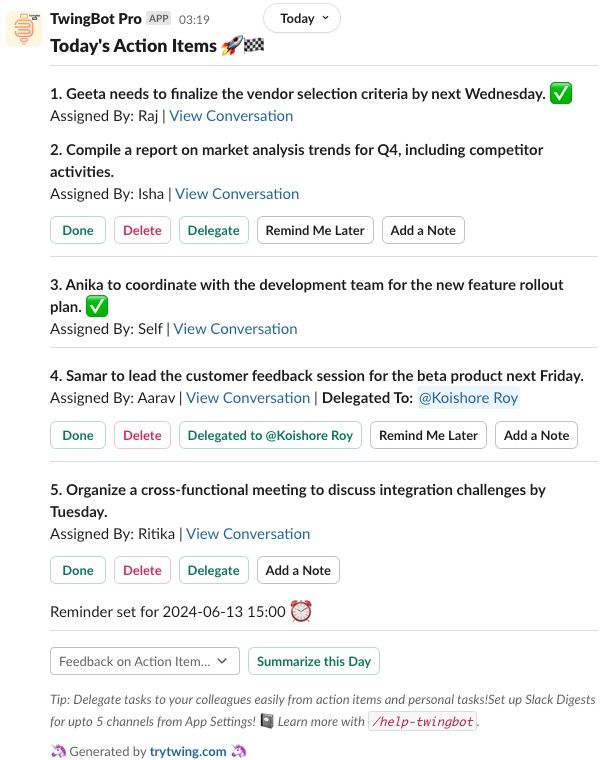
Ensure you are always on top of your work with daily and automatically identified action items. Nothing will fall through the cracks again.

Eliminate the barrage of notifications with automated action items, daily digests and on-demand summaries securely! Save 30 minutes every day!
Free trial, No Credit card required! 🚀
Trusted by Users at
Join users at these organizations who have saved 45k+ minutes and created 35k+ tasks. You are in good company!!
Email Us





Task Management
Imagine always being on top of your tasks, never missing an action item. TwingBot Pro ensures increased productivity, improved organization, and enhanced collaboration, while keeping conversations secure.
Ensure you are always on top of your work with daily and automatically identified action items. Nothing will fall through the cracks again.

TwingBot Pro provides clear visibility of tasks and deadlines right in Slack, helping you stay organized

TwingBot Pro facilitates collaboration by enabling easy task delegation with colleagues.
AI Technology
We carefully analyze your Slack conversations and:
Task Management
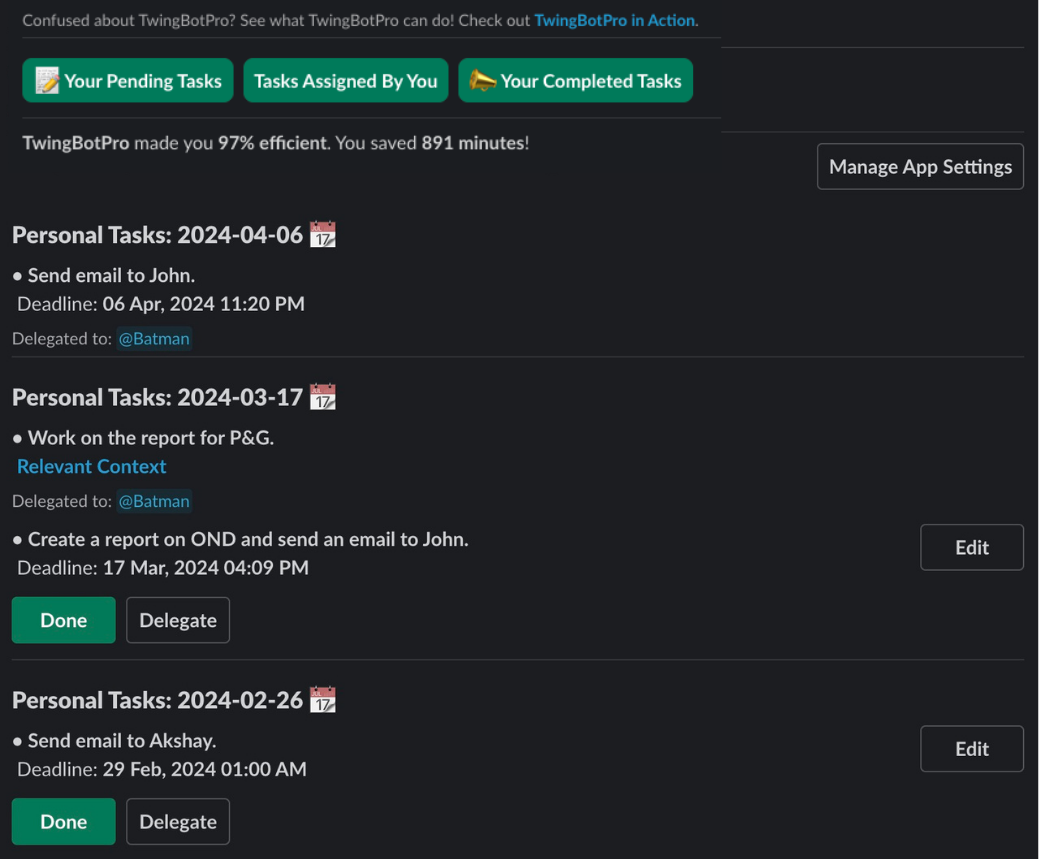
Manage tasks assigned to you, by you and personal tasks in one place. Bring task management where you spend most time. Ensure tracking of even ad-hoc tasks!
Delegate tasks to your colleagues. Get updated when they complete or dismiss a task!
Follow up on tasks assigned by you to others in one click. Assign it to them for status updates and always be in the know.
Privacy by default, only info which is accessible is shared! Be at peace knowing your conversations are never stored!

Join hundreds of users who have created more than 50,000 tasks and saved more than 45,000 minutes (daily 30 mins average)
Secure by Default
Security is at the forefront of everything we do. All your data is encrypted and secure end-to-end. We also have a pending SOC2 Type 2 certification, the gold standard for verification of security processes.
Learn More →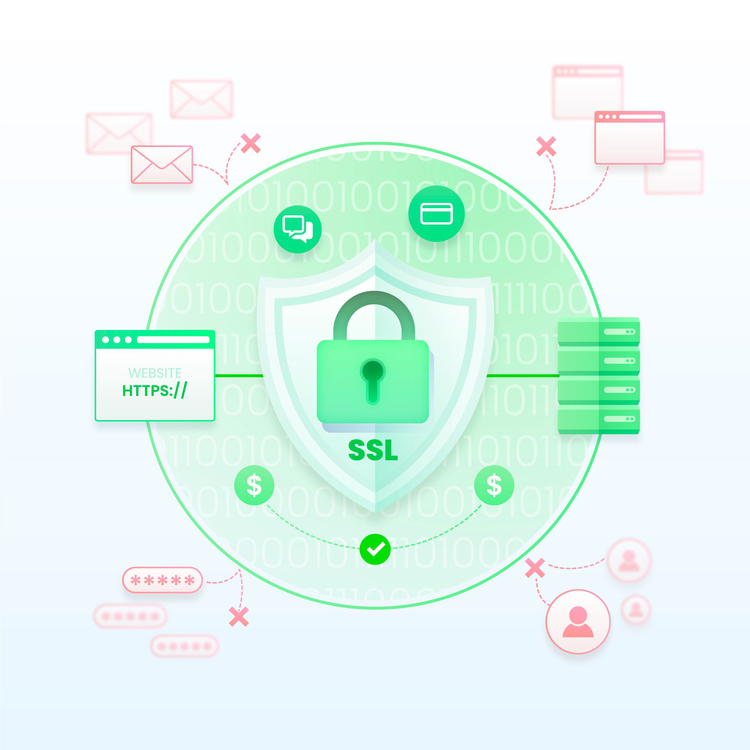
Enjoy features like AI analysis of Slack conversations, automated action items, daily digests, on-demand recaps, task management, task delegation. All of this, absolutely securely.
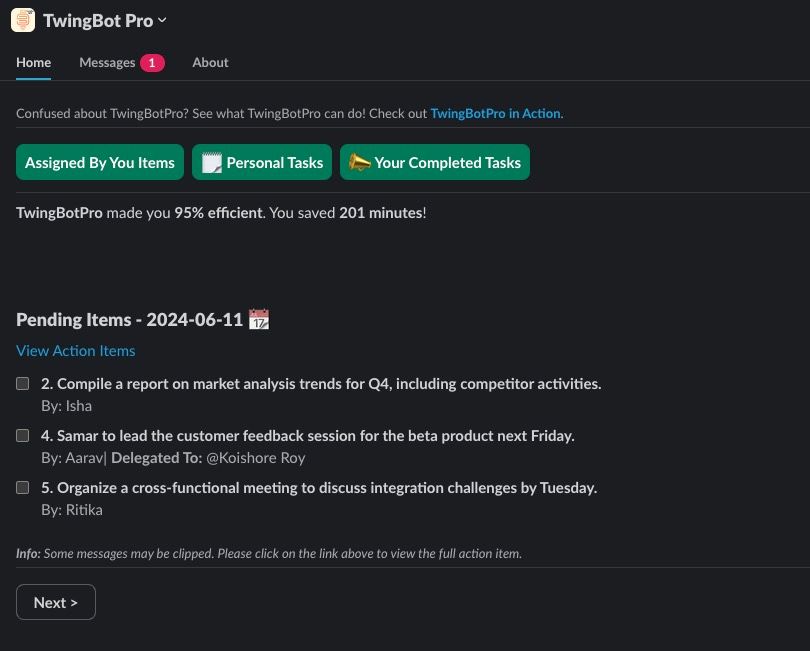
Manage tasks assigned by you, to you and your personal tasks, all in one dashboard right in Slack. Done, delete and delegate. Set reminders, add context, follow up with others and so much more!
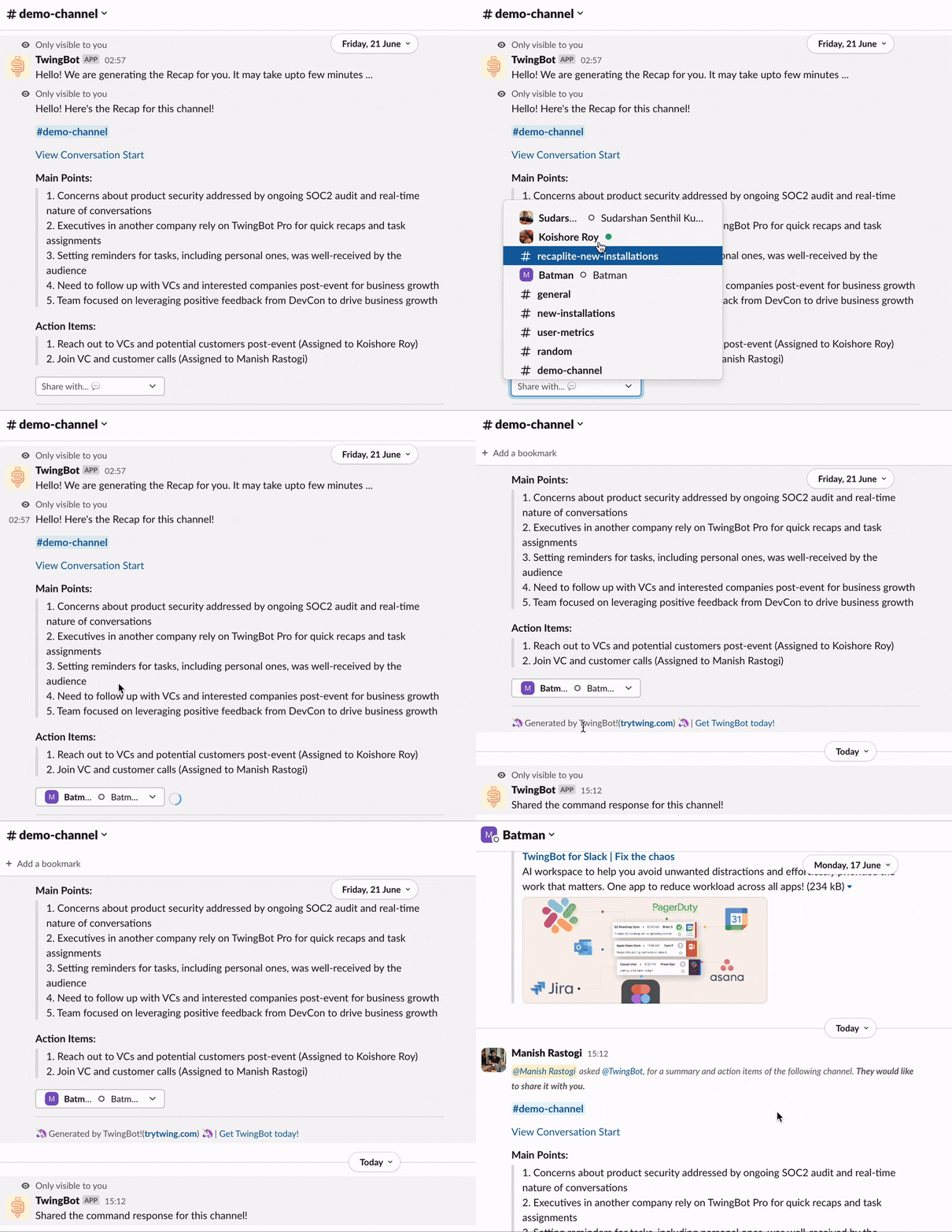
Share recaps, digests, and tasks in seconds with your colleagues. Get them up to speed quickly for quicker results!
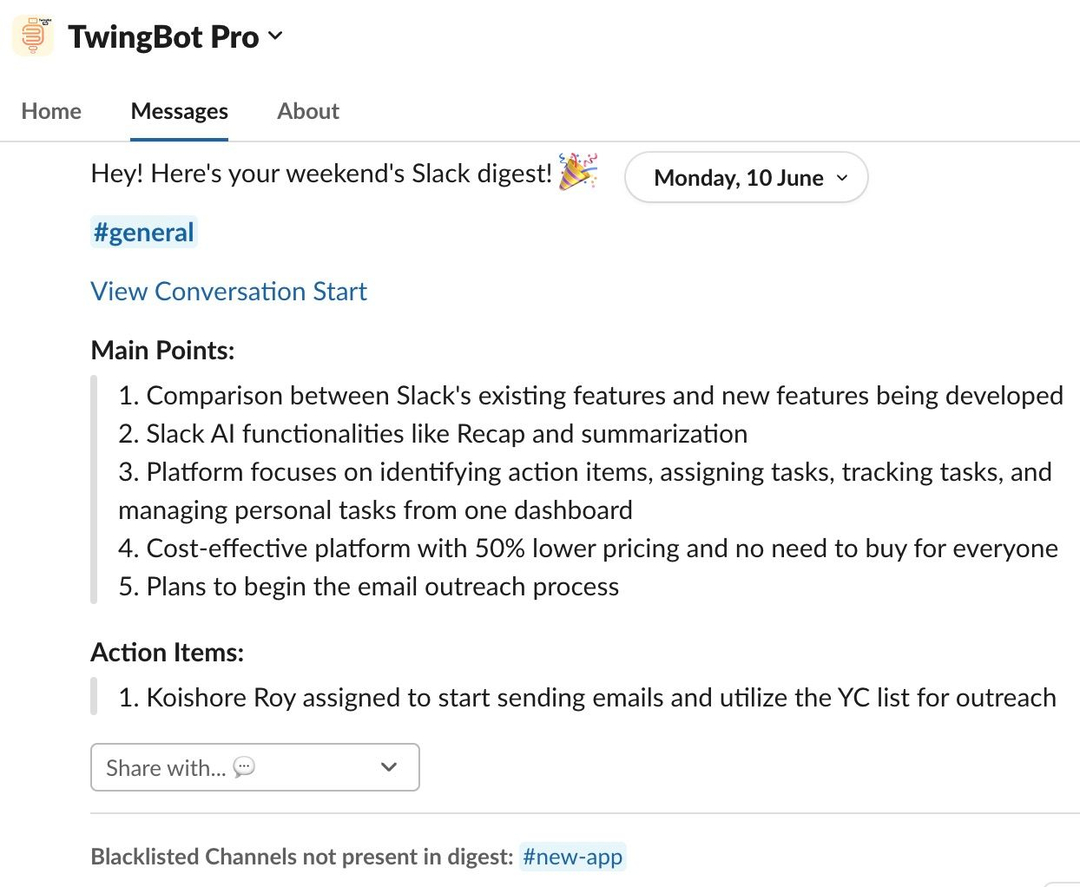
Get digests of channels to stay updated with the main points of discussion and action items every day, without any effort!
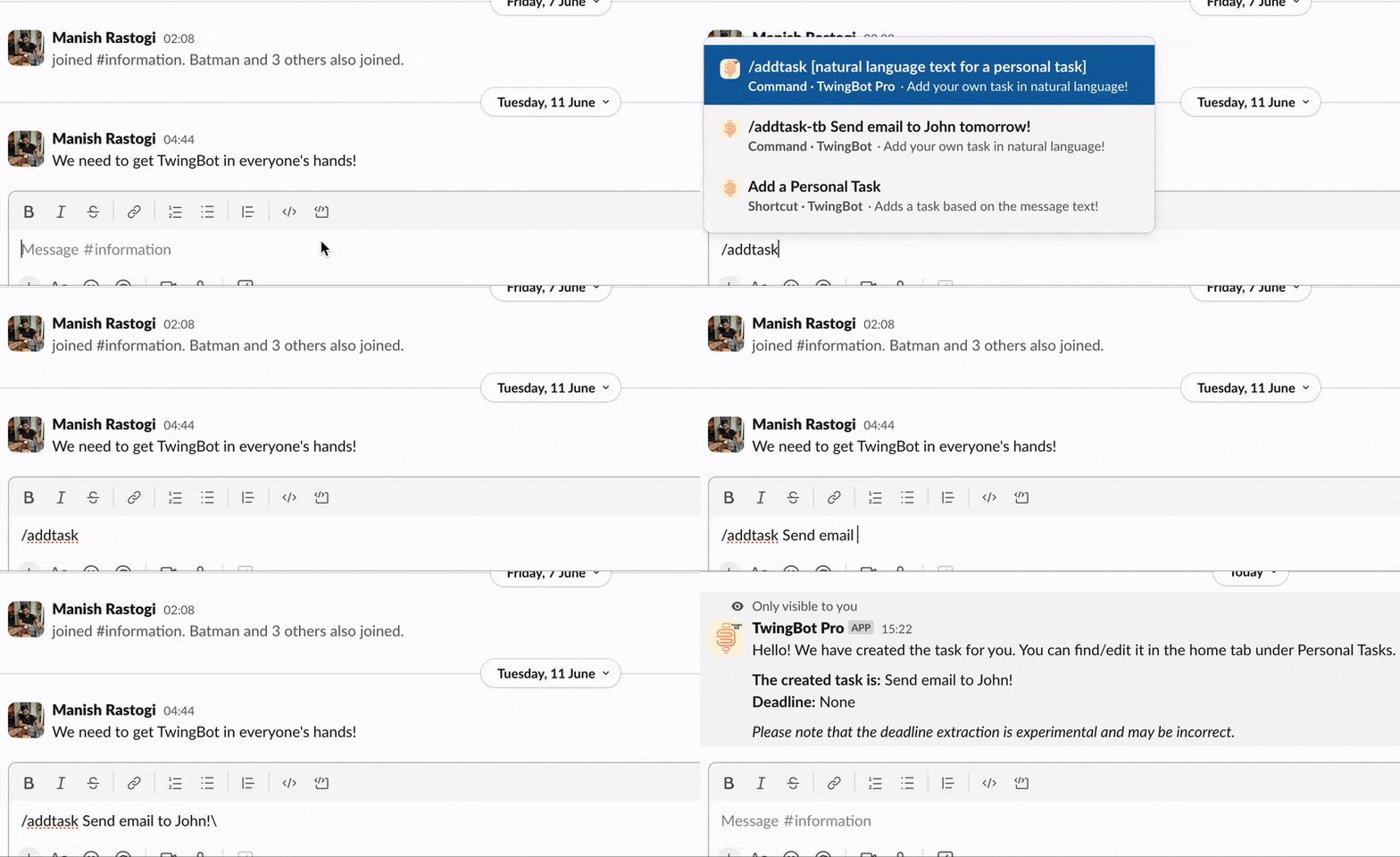
Use slash commands for adding tasks in natural language, finding out today's agenda, or getting an update on discussions in a channel!
Well, no! They don't.
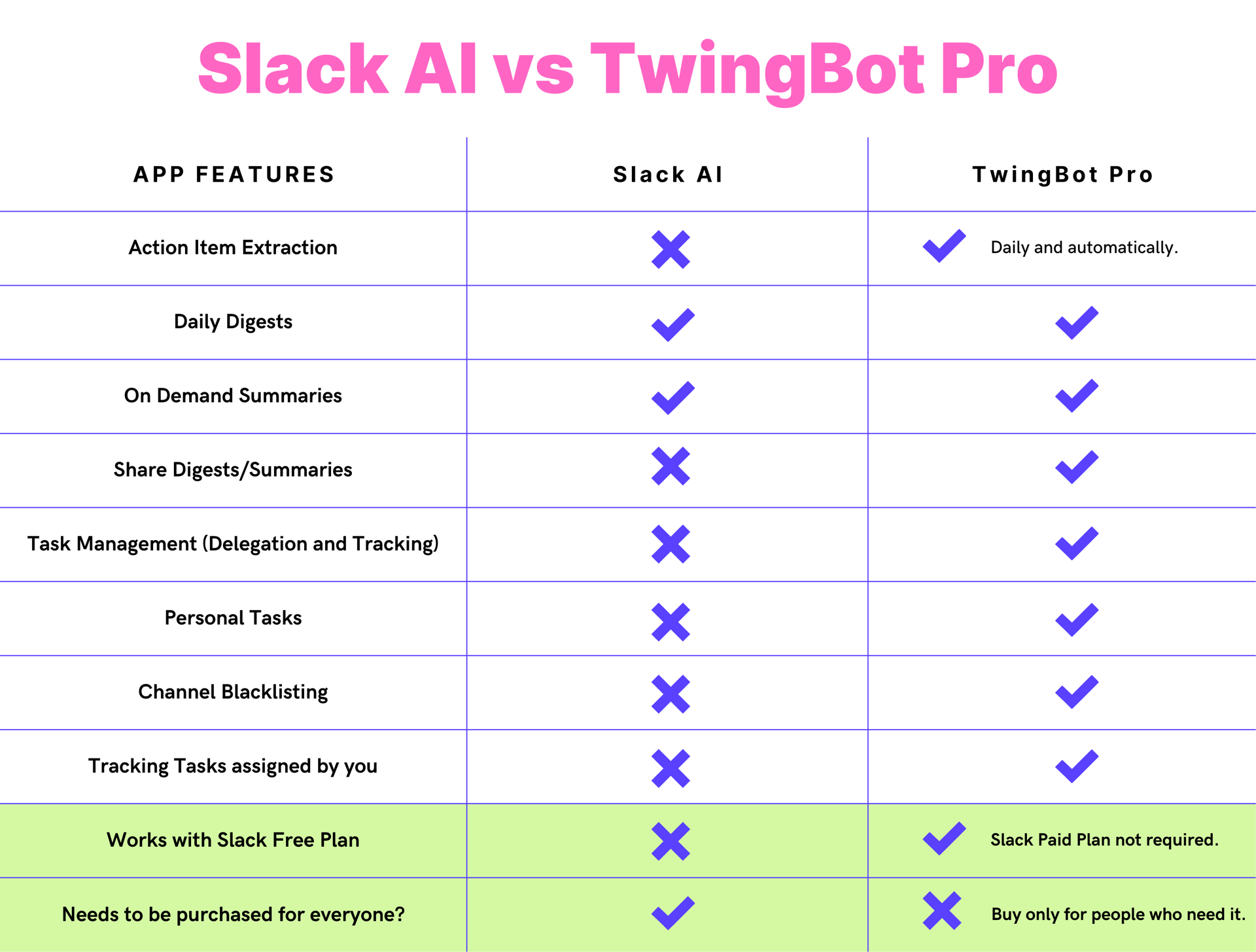
Our Impact!
Our AI technology has identified over 50,000 tasks for users.
Users have collectively saved 45,000+ minutes using TwingBot Pro.
On average, users have increased their productivity by over 30 minutes per day.
Read testimonials from our valued users

Definitely recommend it to folks who struggle with managing multi-thread conversations, insane context switching, and have to skim through multiple CCs and FYIs every week.

It’s an absolute game-changer when you have 100s of pings per day. It’s like having a virtual assistant that hand-picks the most relevant information for me.

Initially, I thought I would eventually not need it but today, I can’t imagine a day without it!
All your doubts, cleared!
Yes. Twing does more than summaries and action items and is being built to work across all your apps in real time.
TwingBot Pro is the Slack-first preview of that broader product, designed to deliver the most valuable parts of the workflow right away inside Slack.
TwingBot Pro has evolved into a Slack-native assistant that helps manage your work and adapt the experience to the way you operate.
Yes. TwingBot Pro automatically sends an aggregated list of action items from your Slack conversations each day at 9 AM.
You can also set your own timing preferences and use the Slack commands whenever you want an up-to-date view of your action items.
We do not store your Slack conversations. Conversation data is available only briefly to generate the results you request, then it is deleted.
The product stores only the minimal account information needed to operate the service for you, such as your name, email address, and Slack ID.
We are also working toward SOC 2 Type 2 certification to reinforce the security and privacy guarantees around user data.
Absolutely. Users can blacklist channels so TwingBot Pro does not access them.
Workspace-wide channel blacklisting is also available so entire channels can be excluded for every user.
The product is built around data minimization and privacy by default, and we understand that users need more than just claims.
That is why we are progressing toward SOC 2 Type 2 certification, which is widely treated as the gold standard for security and privacy process verification.
Note: We use LLMs under the hood to provide results for TwingBot Pro! There may hallucinate and show wrong results! Always confirm the results and please report any issues to us. Thank you for your support!
